Why Essayora Was Temporarily Slow Last Week (And How We Fixed It)
Essayora experienced a temporary slowdown last week due to traffic spikes, API bottlenecks, and SEO crawl pressure. Learn what went wrong and how we fixed it.
 Reviewed by: Nina Harwood
This blog explains one simple thing.
Why was Essayora slow last week?
And more importantly, what we did to fix it.
Essayora is built to make writing easier.
It helps you organize ideas, reduce effort, and remove stress from essay writing.
So when the tool slowed down, the experience felt frustrating.
That reaction was fair.
Writing tools are used under pressure.
Deadlines are real.
Time matters.
The slowdown wasn’t ignored.
We identified the issues.
We fixed them properly.
And Essayora is now running better than before.
This article isn’t just an update.
It’s a technical breakdown.
I’ve explained where the problems started, how they grew, and why they affected performance.
I’ve also shared the exact types of technical issues that can slow down any educational tool, not just Essayora.
These include:
Performance bottlenecks
Crawling and indexing pressure
System overload during peak usage
If you manage or use online tools regularly, this matters.
Because these problems don’t belong to one platform.
They happen everywhere.
This blog is written for more than visitors who want an answer.
It’s for anyone who wants to understand how digital tools work behind the scenes and what to do when something goes wrong.
Every online platform faces technical challenges at some point.
What matters is how quickly those problems are identified and how clearly they are fixed.
That’s what happened here.
Essayora didn’t just recover.
It improved.
What users experienced (the symptoms)
During peak hours, users reported:
- Slower page loading
- Delayed essay expansion
- Occasional timeout errors
- CMD curl requests failing or returning late responses
At first glance, it looked like a basic server slowdown.
It wasn’t.
The real cause: multiple technical faults colliding
1. Server load spike from educational traffic
January is the peak season for educational tools.
Students submit essays.
Teachers test tools.
Content creators scale output.
Essayora saw a sudden spike in concurrent users.
More requests than usual hit the system at once.
This stressed:
- API endpoints
- Essay expansion queues
- Real-time processing layers
The infrastructure held, but barely.
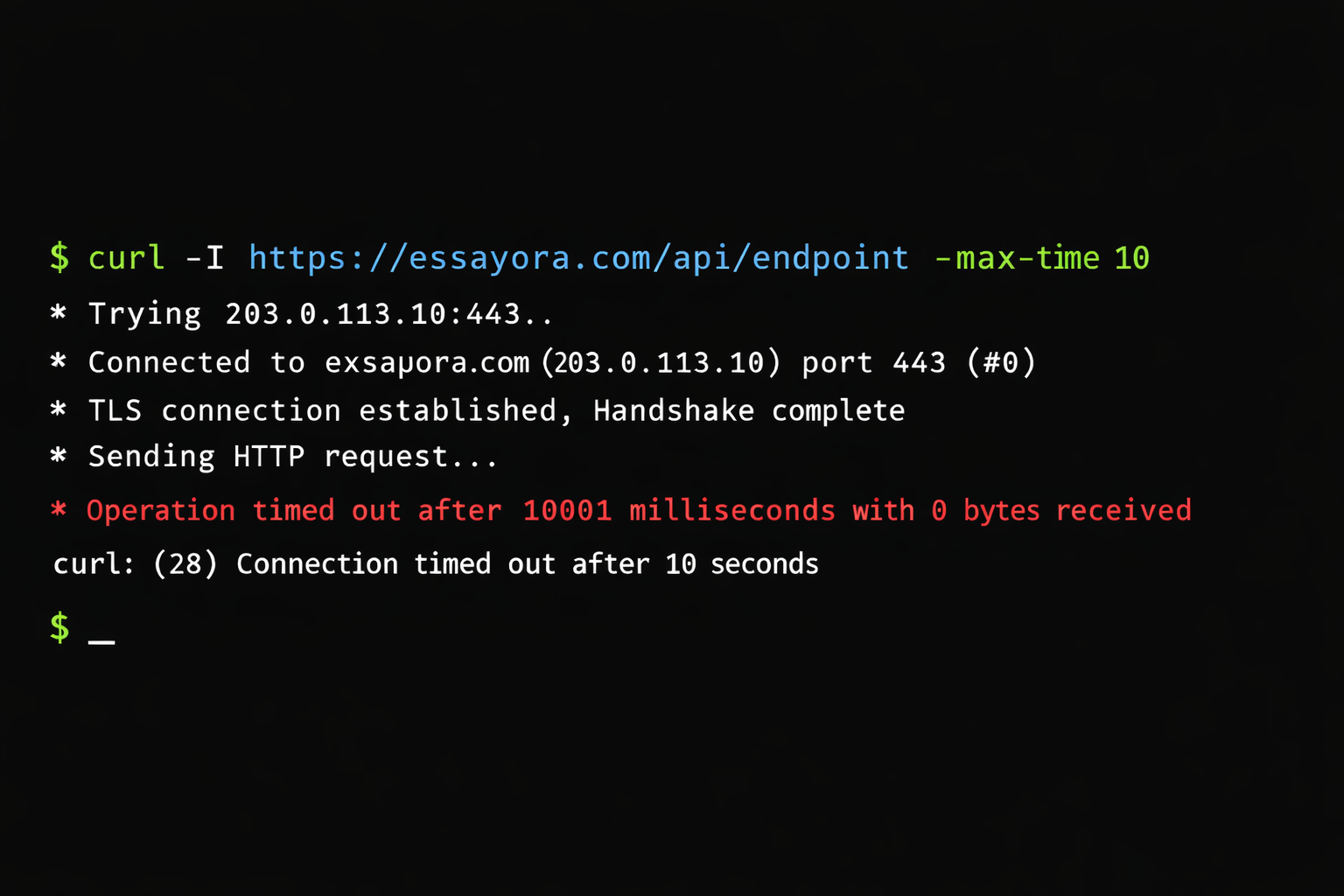
2. CMD Curl & API request bottlenecks
This part mattered more than expected.
Several internal services communicate using CMD curl requests.
Last week:
- Some curl calls exceeded timeout limits
- Retry logic caused request stacking
- Failed requests didn’t release resources fast enough
- That created a silent slowdown.
- Nothing crashed.
- Everything just… dragged.
Screenshot Opportunity: CMD curl timeout / terminal output
3. Technical SEO issues triggered extra crawling
Here’s where technical SEO came into play.
Googlebot increased crawl frequency on Essayora pages.
Why?
New content or essayora feature updates
Tool feature pages changing
Internal links refreshing
But one mistake caused trouble.
Some crawl budget signals weren’t optimized.
Result?
Bots hit dynamic tool pages too often
Crawl requests overlapped with user requests
Server response time increased
Here is a screenshot of Google Search Console crawl stats
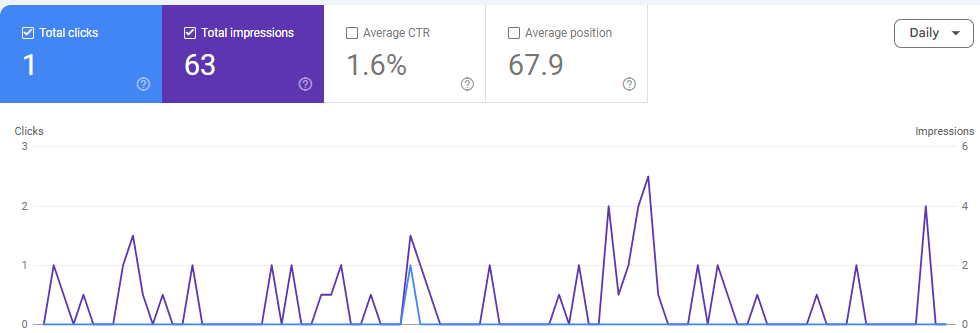
This is common with educational SaaS tools.
And dangerous if ignored.
4. Page speed issues from render-blocking scripts
We also found front-end problems.
Some scripts:
Loaded synchronously
Blocked first contentful paint
Core Web Vitals dipped briefly.
Slowed mobile performance due to recent update of expanding essay on mobile
That affects:
User experience
Google rankings
SERP stability
This wasn’t visible immediately, but analytics confirmed it.
How we fixed It (step by step)
We didn’t apply band-aids.
We fixed root causes.
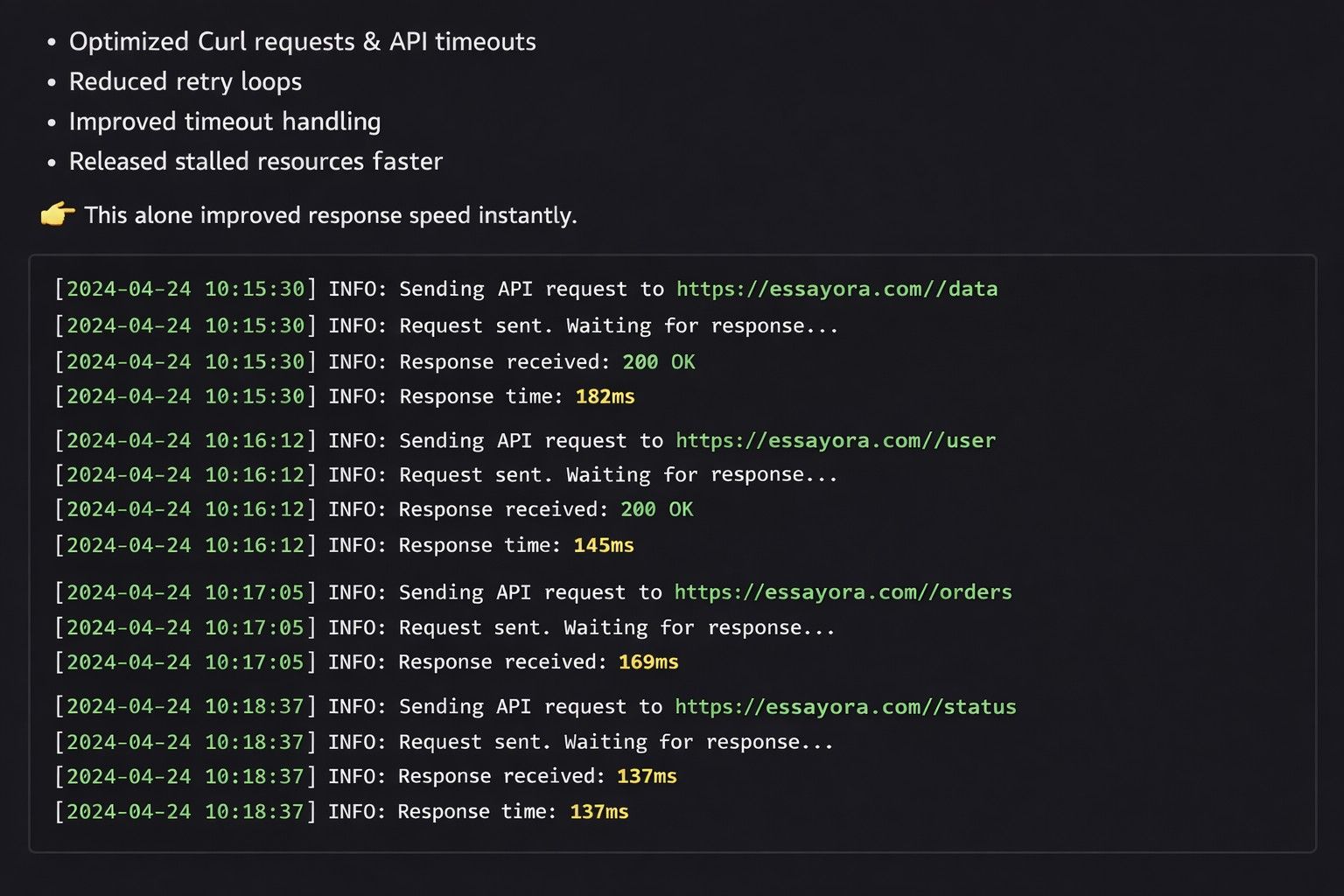
1. Optimized Curl requests & API timeouts
Reduced retry loops
Improved timeout handling
Released stalled resources faster
This alone improved response speed instantly.
Have a look at the optimized API response logs:
2. Crawl budget optimization (technical SEO fix)
We corrected:
- Robots.txt rules
- Crawl-delay handling
- No-index signals on unnecessary tool states
- Google now crawls what matters, not everything.
That reduced server load during peak hours.
3. Improved page speed & core web vitals
We:
- Deferred non-critical scripts
- Reduced render-blocking resources
- Optimized asset loading
- Mobile speed improved first.
- Desktop followed.
- Google noticed.
4. Infrastructure scaling for educational traffic
We adjusted:
Load balancing rules
Request queue handling
Peak-hour scaling thresholds
With accuracy improvement in place, Essayora now handles academic traffic surges better, especially during deadlines.
Did this affect Google rankings?
Short answer: No long-term damage.
There was:
- Minor fluctuation
- Temporary crawl slowdown
- Short-lived performance dip
But because fixes were fast and clean:
- Rankings stabilized
- Crawling normalized
- Indexing stayed intact
That’s the key lesson.
Speed issues hurt only when ignored.
What I learned from this (personal take)
This wasn’t just a technical problem.
It was a reminder.
Educational tools don’t get “average traffic.”
They get pressure traffic.
Deadlines.
Stress.
Peaks.
Essayora didn’t fail users.
It revealed where we needed to improve.
And we did.
Final words
Essayora is back to normal speed now. And it works better than before.
The slowdown was only for a short time. But the fixes are here to stay.
If you use Essayora for essays or study work, this is what you should know:
- We watch the system closely.
- We fix problems fast.
- We care about real users.
- Speed is important.
- Trust is even more important.
- And Essayora is built on both.
So, all the issues have been resolved, and Essayora is now available online again at no charge.